Today my new toy arrived. It’s an ESP8266 IOT WiFi Module.
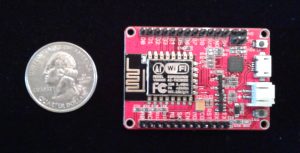
Specifically I selected the “Elecrow ESP8266 IOT Board WiFi Module with Built in USB and Battery Charging” out of the many ESP8266 variants because of the following features:
- Onboard USB (I find it easier than FTDI)
- NOT breadboard friendly (Pins sticking up not down)
- In stock and eligible for Prime shipping
To start with, I just wanted to verify that I could run some code on it. Here’s what I did:
- Installed the Arduino IDE from https://www.arduino.cc/en/Main/Software. I used the latest available (1.6.9).
- Configured the Arduino IDE to support ESP8266 boards:
- Opened up the preferences and added http://arduino.esp8266.com/versions/2.3.0/package_esp8266com_index.json to the “Additional Boards Manager URLs”.
- Opened the “Boards Manager”, found the “esp8266” listing, and clicked the “Install” button (using the latest 2.3.0 version).
- Since there wasn’t a specific Electrow entry, I selected “Generic ESP8266 Module” for the board type.
- Wrote some code. Here is my very simple sketch to slowly count and send the number via serial:
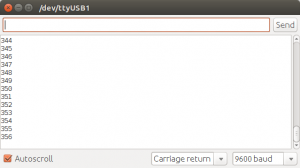
int count = 0; void setup() { Serial.begin(9600); } void loop() { Serial.println(count++); delay(1000); } - Ran the code. I uploaded it to the module, opened the serial terminal, and saw that it was counting as designed.
Of course it took a bit of kicking and swearing to do that. Here are a few of the things that I did before everything worked:
- Ran the Arduino IDE as root
- The upload speed is 115200, but the terminal speed is 9600 baud
- Change the reset method to “nodemcu”.
- Sometimes (but not always) hold the flash button and than hit the reset button before I could successfully upload my sketch.
- Switch USB cords (the first is a cheap, old cord that in recent years has only been used for charging devices).
- Check the port whenever I plugged in the module (it sometimes switched between /dev/ttyUSB0 and /dev/ttyUSB1 just to spite me).
There’s nothing exciting about my counting program, but by getting it running I confirmed that I can 1) Connect to the module 2) Upload code to it and 3) Run the code. Now that I can do that, I can see what else I can make my new toy do . . .
 The nostalgia of coding and playing
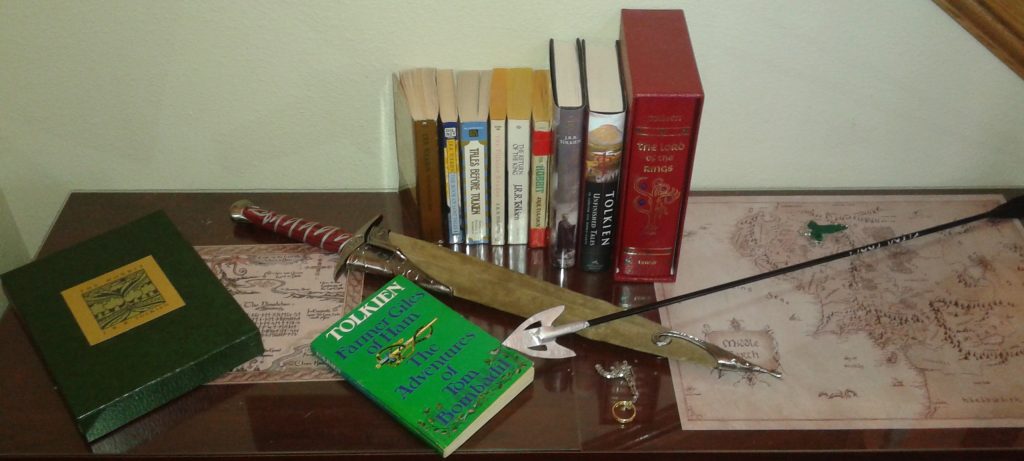 I have long been familiar with Tolkien’s The Hobbit and also The Lord of the Rings, but remained mostly ignorant of his other works apart from a 1982 print of The Silmarillion which somehow ended up in my collection. This past Mother’s Day my wife received a couple volumes of other Tolkien tales and I noticed in one that among the “other books by the author” it listed The Adventures of Tom Bombadil and was intrigued enough to order it in a volume combined with Farmer Giles of Ham.
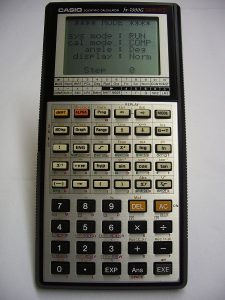 Back in the magical decade known as the 90’s I got my first graphing calculator. It was one of the Casio FX-7000 variants–I don’t recall which one exactly, but I do clearly remember that it had 422 bytes of memory to be used by programs. While I wrote some programs to do mathy stuff, most programs were games. I think the first game I wrote for the calculator was a number guessing game where the game would generate a random number and the player would enter guesses and be told it the actual number was higher or lower. There were various other games along the same vein. Then I started coding with a friend and things got “Dangerous”.
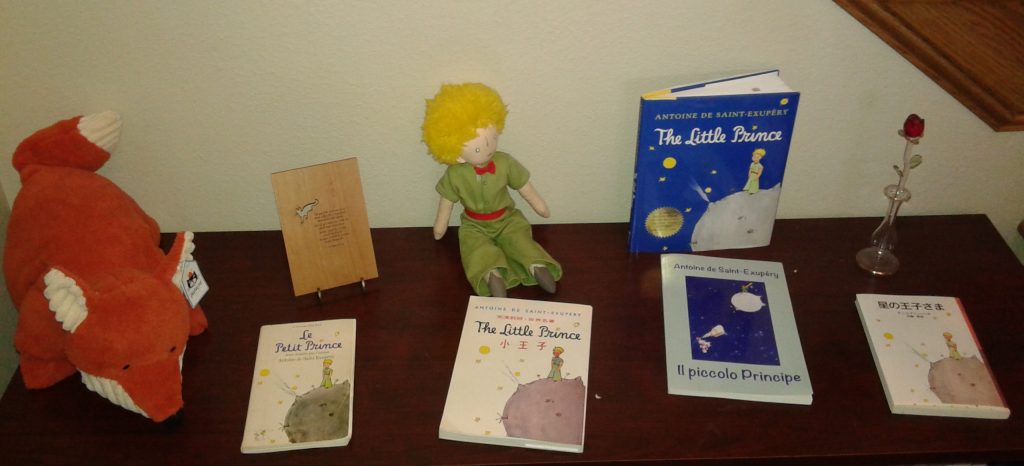 The first book is a 45 year old Le Petit Prince in the original French. I believe I stole it from my parents’ home and it most likely was previously claimed by my mother or sister. I remember as a kid reading an English translation (which my parents probably still have along with another French copy) and enjoying the story while marveling that my parents and sister could read it. Later when I was studying French I read portions of the text and experienced the story in new ways because I was forced to slow down (and often read it aloud).
 When I saw the word “Triby”, my mind jumped to a classic Star Trek episode and I imaged Captain Kirk and a bunch of fuzzy things. A quick search revealed that those are “Tribbles” and that the Triby is very different, but the similarity in name grabbed my attention enough that I put forth to answer the question, “What’s a Triby?”
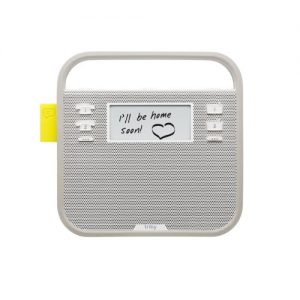 To me the Triby looks like a toy radio for children. It has a magnet on the back so that it can be attached to a fridge. The buttons are also have a toy-ish appearance. The screen is a small e-ink display–probably to reduce power consumption (the battery lasts about two days on a charge). The neatest physical aspect of the Triby is the mechanical flag that pops out of the side when a new message is received.